
Your card statement closes tomorrow. Just so you know.
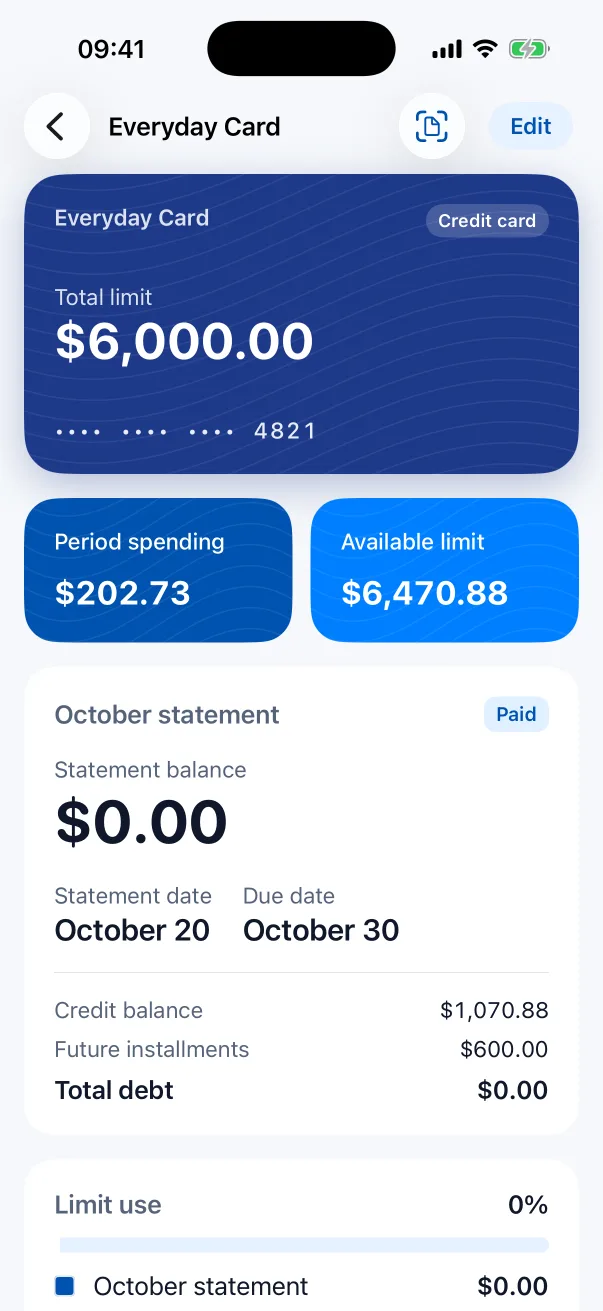
Cards and installments
Statement and due dates, and where each installment stands, like 4/12. A reminder before the due date.
Expenses, card installments and the family budget in one place. Waleroy remembers; you decide. Your data stays on your iPhone and in your own iCloud.
Your card statement closes tomorrow. Just so you know.
Statement and due dates, and where each installment stands, like 4/12. A reminder before the due date.
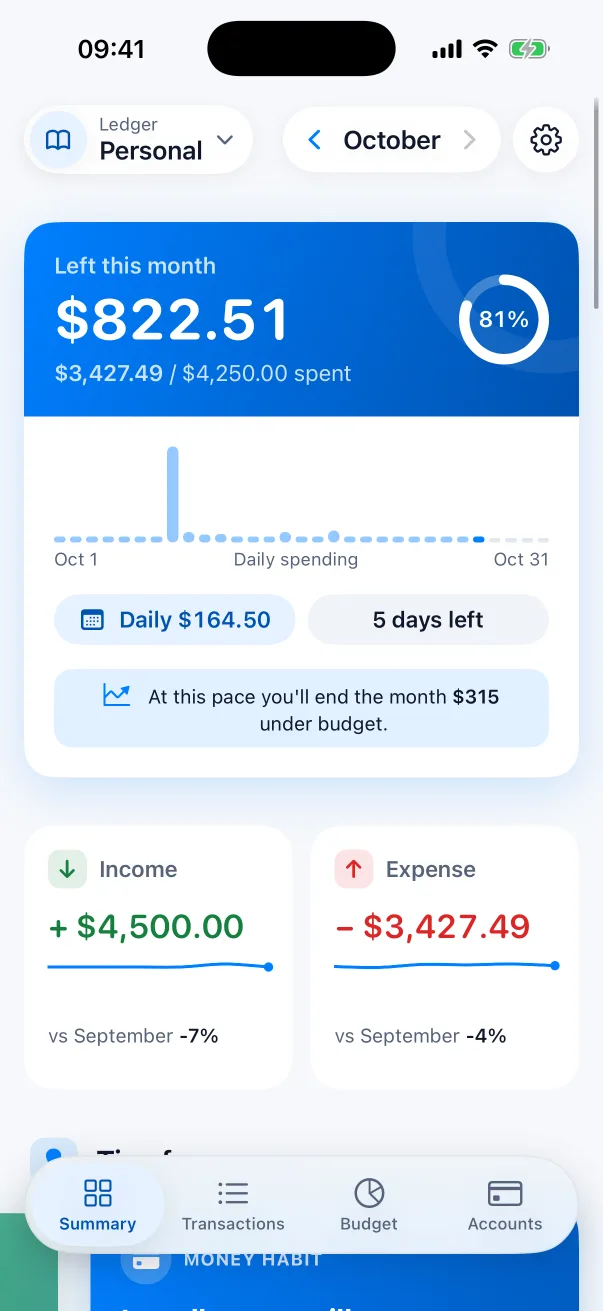
At this pace you'll end the month $315 under budget.
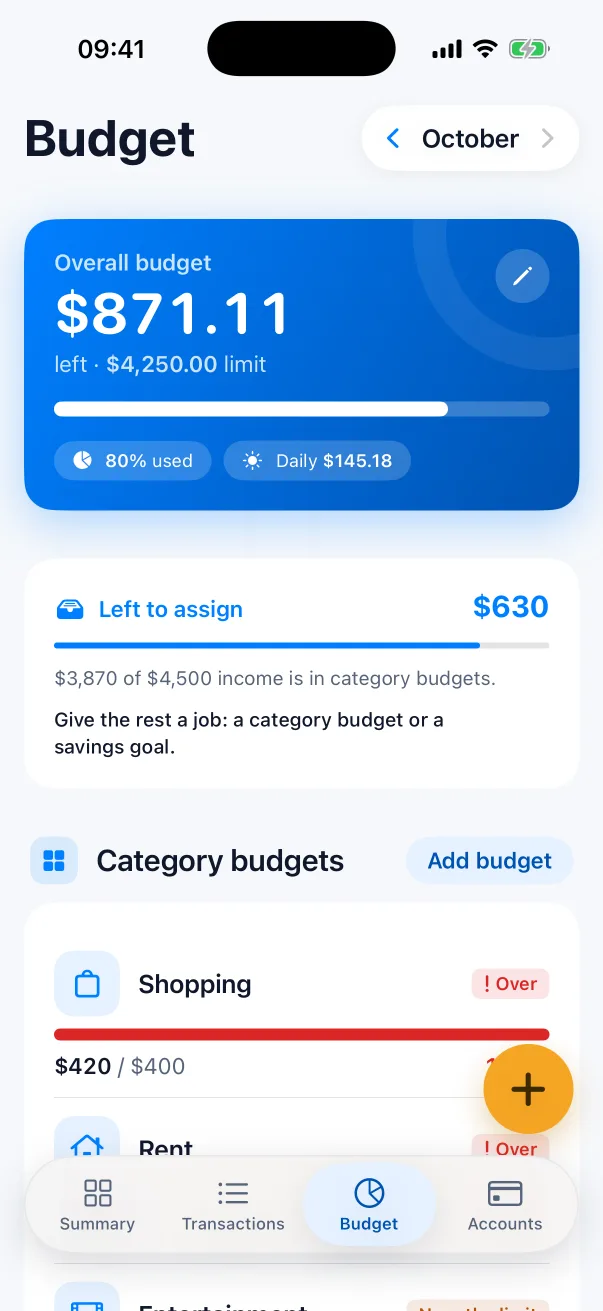
A monthly budget, category limits and how the month will end. A calm note at 80% and 100%.
Maya added $48 for groceries.
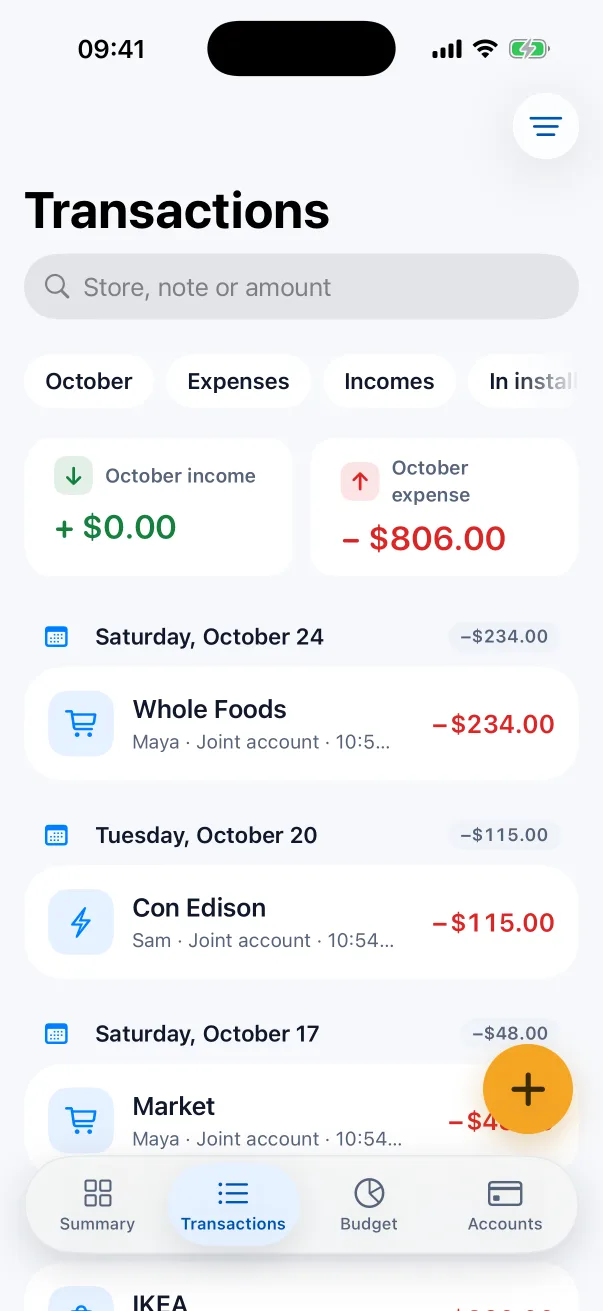
Everyone sees the same budget on their own iPhone. New entries show up in seconds, with who added them.
Payday, statement day, due date, month end. Waleroy keeps the calendar of your month.
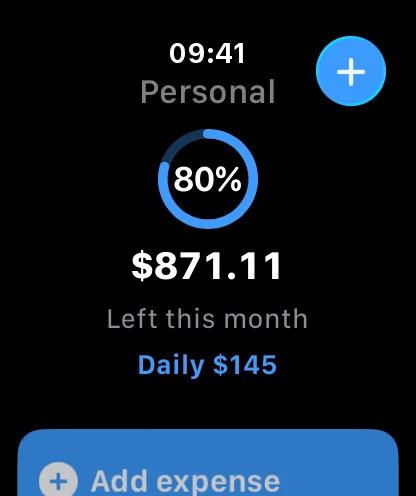
Left this month $822, $164 a day
Cards, installments, receipts, the family budget. Waleroy remembers all of it.
I read the receipt: $25 groceries. Save it?
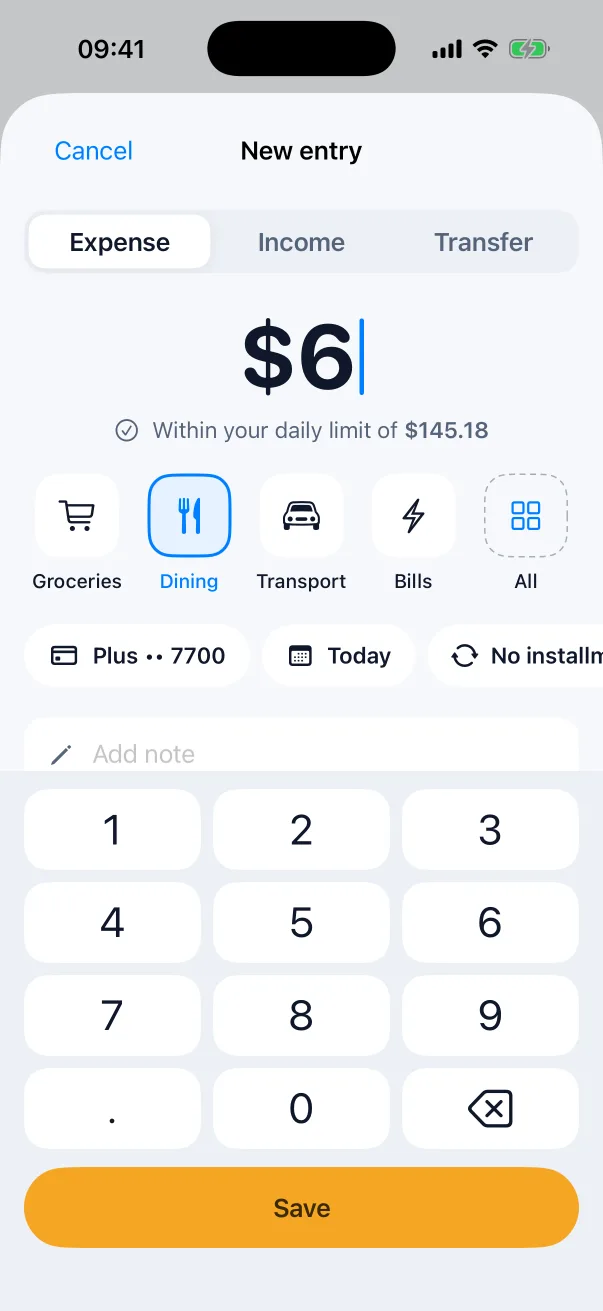
Type an expense or tell Siri. Waleroy saves it, updates your budget and keeps your card calendar for you.
Today 9:41
$25 coffee, on my card.
Saved. $822 left this month, that's $164 a day.
When's my card statement?
Tomorrow. Laptop installment 4/12 is on it.
No server, no account, no tracking. Your ledgers live on your iPhone and in your own iCloud.
The only network request is the daily TCMB exchange rates, and it carries nothing about you. Receipts are read on the device. App Store privacy label: Data Not Collected.
Log your spending and income for free. Cards, installments, budgets and family sharing come with Pro.
$0
Forever, no entry limits, no ads.
$2.99 / month
Try it free for 14 days, cancel anytime.
Exactly what is in Free and in Pro.
| Feature | Free | Pro |
|---|---|---|
| Entries and accounts | ||
| Expense and income entries | Unlimited | Unlimited |
| Ledgers | 1 | Unlimited |
| Accounts (cash, bank account, savings) | Up to 2 | Unlimited |
| Preset categories | Included | Included |
| Your own categories | Not included | Included |
| Several currencies with automatic rates | Not included | Included |
| Transfers between accounts | Not included | Included |
| Receipt photo on an entry | Not included | Included |
| Cards and installments | ||
| Credit cards, statement and due-date calendar | Not included | Included |
| Card reminders | Not included | Included |
| Installment tracking (like 4/12) | Not included | Included |
| Statement PDF import | Not included | Included |
| Budgets and plans | ||
| Overall monthly budget | Included | Included |
| Category budgets | Not included | Included |
| Savings goals | Not included | Included |
| Debts and loans | Not included | Included |
| Subscriptions and recurring entries | Not included | Included |
| Reminders | Not included | Included |
| Tips, month-end forecast, payday plan | Not included | Included |
| Reports | ||
| This month's summary and category breakdown | Included | Included |
| Reports and year in review | Not included | Included |
| CSV, Excel and PDF export | Not included | Included |
| Works with iPhone | ||
| Siri: add expense, add income, remaining budget | Included | Included |
| Small remaining-budget widget | Included | Included |
| All other widgets and Live Activity | Not included | Included |
| Shortcuts actions | Not included | Included |
| Apple Watch | Not included | Included |
| Face ID lock | Included | Included |
| App icon choices | Not included | Included |
| Family and sync | ||
| iCloud sync between your own devices | Included | Included |
| Joining a shared ledger | Included | Included |
| Sharing a ledger (sending invites) | Not included | Included |
| Comments and reactions on entries | Not included | Included |
Prices show in the App Store for your country. If Pro ends, nothing is deleted and everything stays visible; Pro features lock, and ledgers you share become read-only for the others until Pro is back.
On your iPhone and in your own iCloud. There's no Waleroy server, so we can't see it.
Share a ledger with iCloud sharing and choose "can add and edit" or "can only read". Only the people you invite see it. Starting a share needs Pro; joining is free.
Yes, on one device. Sync and sharing need iCloud.
The daily rates of the Central Bank of the Republic of Türkiye (TCMB), downloaded and applied automatically. Multiple currencies come with Pro.
Nothing is deleted and everything stays visible. Pro features lock: the card calendar and installments, reminders, Watch and widgets stop. Ledgers you share become read-only for the others until Pro is back.
Settings › Pro › Restore purchases.
Use "Delete all data" in Settings, or delete the app and its iCloud data.
No. Waleroy is not a financial institution and does not give financial advice. It reminds; you decide.